The caregiving teams in nursing homes dedicate a significant portion of their working time to traceability and coordination tasks. Between shifts, recording vital signs, and following care plans, the administrative burden encroaches on the time spent with residents. Transmission software attempts to address this imbalance, but its effectiveness largely depends on how it is configured, deployed, and embraced by the teams.
Configuration by living unit: the factor that initial training underestimates
Most transmission software offers a common functional base: recording transmissions, tracking vital signs, personalized care plans. What distinguishes a successful deployment from an underutilized tool often hinges on a less visible element: fine-tuning configuration by living unit and caregiving function.
Configuring the interface so that a night caregiver does not see the same screens as a coordinating nurse reduces the number of clicks, limits unnecessary modules, and decreases data entry errors. The v2026.06 version of NETSoins emphasizes this granular setting, a sign that publishers recognize this ground-level need.
Facilities that adopt the transmission software for nursing homes without adapting these settings often find themselves with teams circumventing the tool, reverting to paper, or entering duplicate data. Configuration is not a trivial technical step: it is the foundation of adoption.

Targeted or narrative transmission in nursing homes: an organizational choice before being technical
Two modes of transmission coexist in most software: targeted transmission (structured around an identified problem, with data, actions, and results) and narrative transmission (free text describing a specific observation).
Targeted transmission serves situations that need to be monitored over several days, such as a wound, a behavioral change, or a treatment adjustment. The narrative is suitable for isolated observations that do not require structured follow-up.
Field feedback varies on the ideal proportion between these two modes. Some teams use targeted almost exclusively, which burdens data entry for minor observations. Others stick to narrative out of habit, losing the structured traceability that coordinating doctors and IDECs rely on for their summaries.
- Targeted transmission standardizes practices and facilitates multidisciplinary follow-up over several days or weeks
- Narrative transmission remains suitable for isolated observations that do not justify opening a follow-up target
- The absence of a clear rule within the establishment generates duplicates and information loss during shifts
The choice between these two modes is a team decision, not a software setting. Without an internal protocol specifying when to use one or the other, the digital tool reproduces the same ambiguities as the paper notebook.
Internal referents and super-users: the key to sustainable software adoption
Publisher support, no matter how responsive, cannot resolve daily blockages in real time. A caregiver who cannot find the right target at 10 PM will not open a ticket. They will jot it down on paper and enter it the next day, or not at all.
Proximity internal referents play a more structuring role than publisher support alone. The idea is simple: train one or two super-users per living unit or on a rotating basis, capable of immediately resolving common issues. These individuals are not IT specialists. They are caregivers who master the most frequent data entry paths and can guide a colleague in seconds.
This approach has a cost in initial training time, but it produces a measurable effect on team autonomy. Facilities that rely solely on top-down training (a collective session at the start, then remote support) generally see a usage rate that declines after a few months.
Gradual deployment by use case
Starting with targeted transmissions, stabilizing their use for several weeks, and then expanding to vital signs and treatments: this gradual method limits cognitive overload. It avoids the marathon training syndrome where caregivers discover all the features in half a day and retain only a fraction.
Protected data entry time: without a dedicated slot, the software becomes a constraint
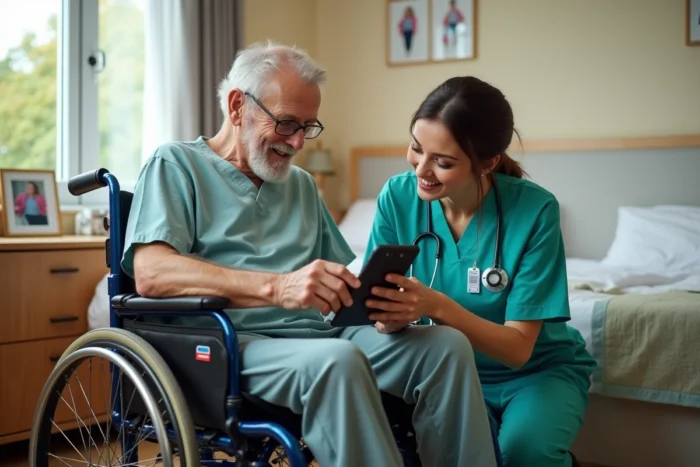
A recurring point in feedback from establishments is: the transmission software only saves time if a data entry slot is integrated into the work organization. Without this protected time, caregivers enter data between care tasks, standing in the hallway, or at the end of their shift when the memory of events has already faded.
The quality of transmissions directly depends on this organizational framework. A fast and well-configured software remains ineffective if data entry is done in a rush or as a catch-up. Some establishments integrate a ten to fifteen-minute slot per shift, positioned just before the handover, so that data entry is done in real-time.
- The data entry slot must be included in the shift planning, not left to individual initiative
- Real-time entry, just after observation, reduces forgetfulness and approximations
- Night shifts, often overlooked in the organization, require simplified access and appropriate configuration
This point illustrates a broader reality: a transmission software does not correct a failing organization. It amplifies it. If handovers are already sloppy, switching to digital will only digitize the disorder. The tool works when it is integrated into a framework where traceability time is recognized as care time.
Thus, the question of software in nursing homes goes beyond comparing features between publishers. The configuration tailored to each unit, the reasoned choice between targeted and narrative transmission, the presence of proximity referents, and the protection of data entry time form a cohesive whole. Removing one of these elements weakens the others, regardless of the software chosen.